7 Gift Card Generator Workflows for Small Businesses
- 27 Aug, 2026

A seasonal promotion is approaching, and a small retailer needs several gift cards that look consistent, carry unique codes, show the correct value and expiry date, and reach customers without creating a spreadsheet nightmare. A single attractive design isn’t enough. The workflow also has to connect the visual card with changing recipient data, scannable codes, batch production, print output, and delivery.
That makes a gift card generator more than a design canvas or redemption platform. The right tool depends on whether the business needs branded card files, a hosted checkout, a catalog of third-party rewards, or a full issuance and redemption system. The seven workflows below start with real designs and practical production steps, then move into distribution platforms and, only later, API-based automation.
Table of Contents
- 1. Zandovi
- 2. Voucherify
- 3. Tango RaaS API
- 4. Tremendous
- 5. Giftbit
- 6. Gift Up!
- 7. Shopify Gift Cards
- Top 7 Gift Card Generators Comparison
- Turn One Approved Design Into Every Card
1. Zandovi
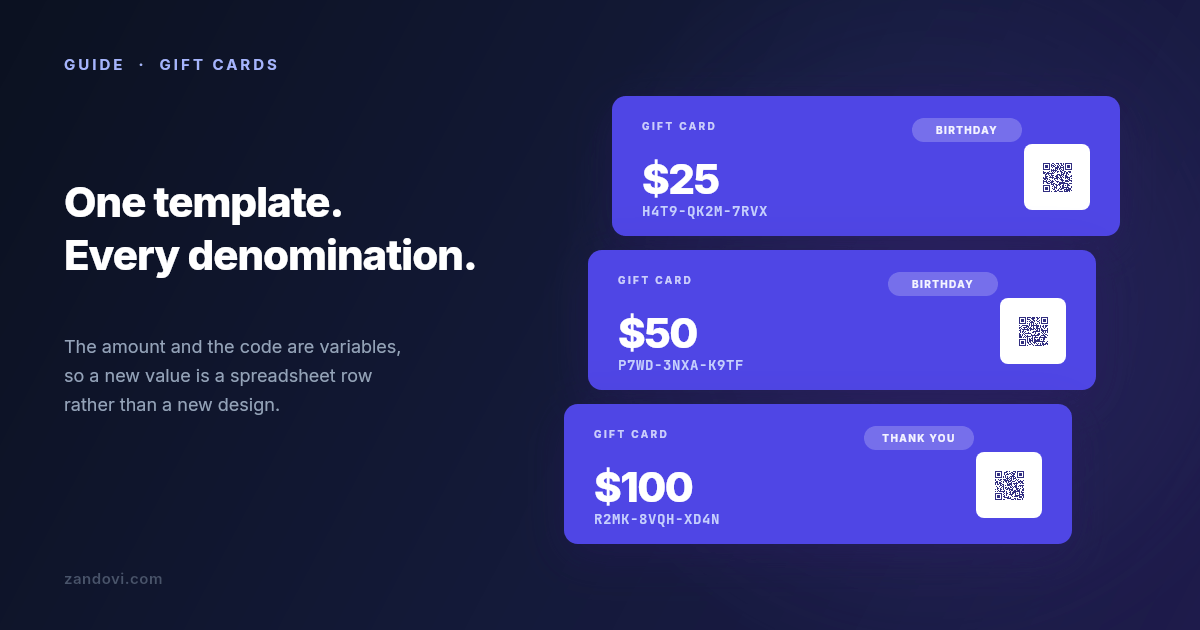
A retailer with one approved design can use Zandovi to produce personalized cards without building a custom rendering system. Its gift card templates support different retail situations. A polished layout suits a seasonal promotion or premium store credit. A simpler service-focused design fits salons, restaurants, and appointment-based businesses. Seasonal artwork can support holiday gifting while keeping separate campaigns visually distinct.
The workflow begins in the visual editor. Add the logo, colors, offer wording,
redemption instructions, and supporting artwork to the canvas. Then map changing
fields such as {{code}}, {{amount}}, {{expiry}}, and {{recipient}}.
Text, QR codes, and barcodes can bind to those values, allowing every card to
carry its own amount, recipient details, and scannable identifier.
The batch workflow
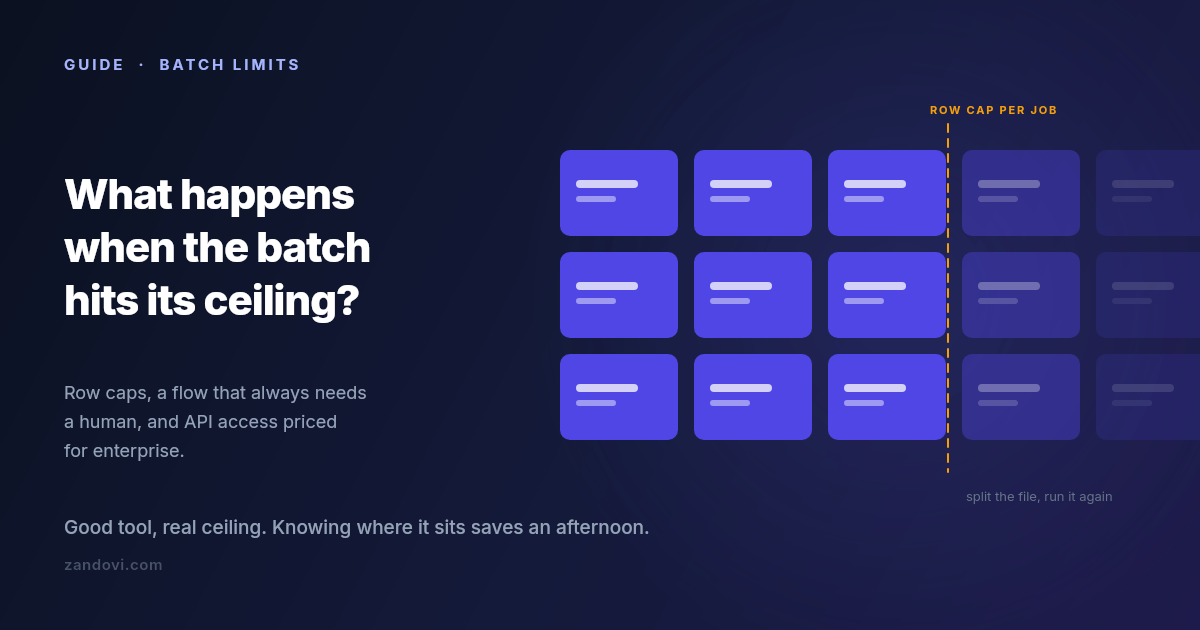
Keep one card per spreadsheet row. Upload the file, validate the columns, run the batch, and download a ZIP with one file per card. Free supports 25 rows per job, Personal supports 100, and Business supports up to 400. Use the gift card redemption design guide when the artwork needs clearer offer wording, stronger redemption instructions, or a more visible call to action.
Every plan includes print-ready PDF at 300 DPI, including Free. The plan quota still controls automated renders. One render equals one image or one PDF, so changing the output format does not multiply the usage count. Paid plans include unlimited manual editor exports, while API calls and batch rows count toward automated usage. Zandovi’s published plan details list Free at $0 with 100 renders per month, Personal at $29 with 5,000 renders, Studio at $49 with 12,000, Team at $79 with 25,000, and Business at $199 with 100,000.
Where automation belongs
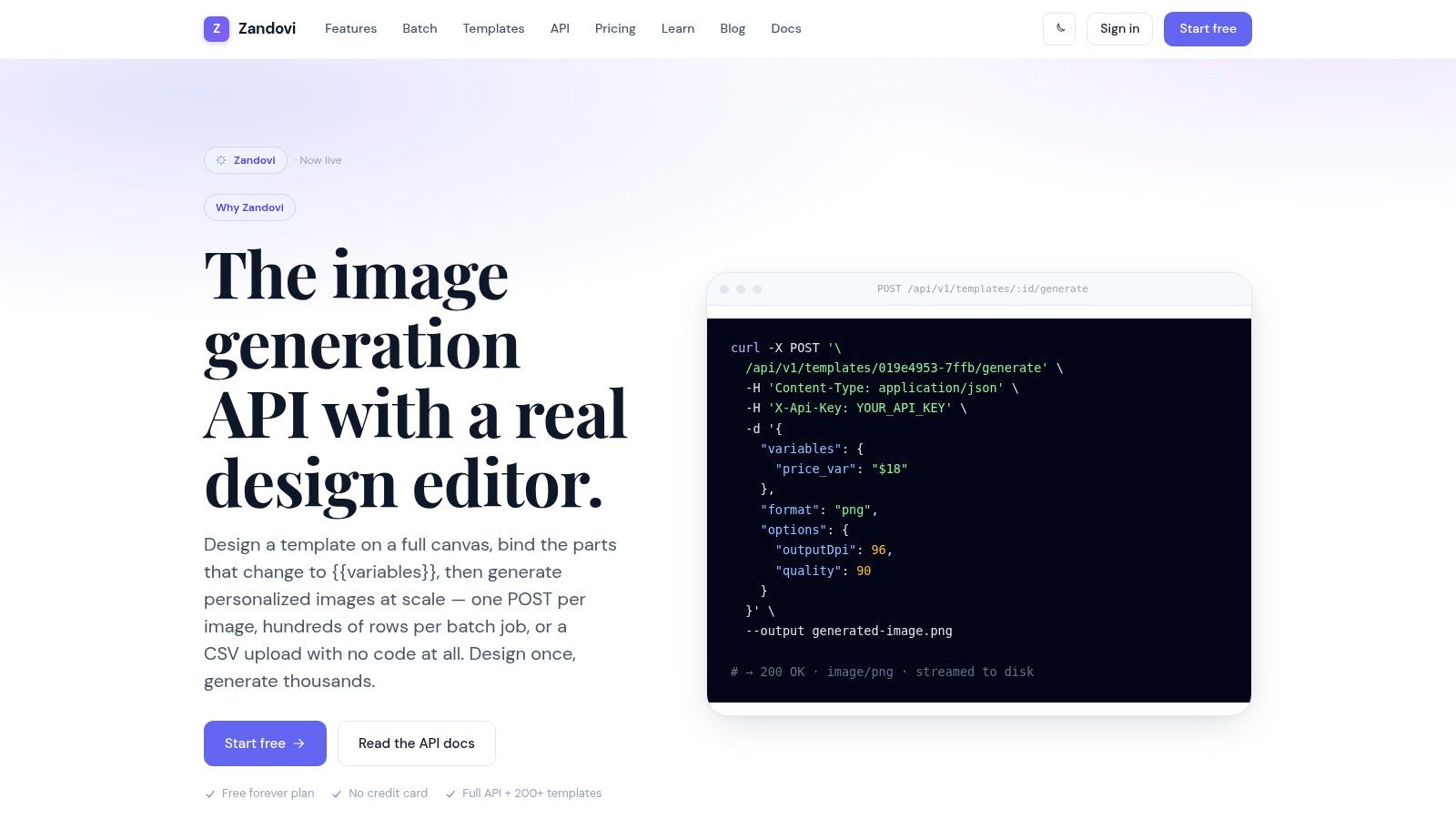
The public API renders an existing template through the documented render endpoint. It can return image bytes or provide a hosted link when link delivery suits the campaign better. The API reads templates and renders them. It does not create, update, or delete templates, so template authorship stays in the visual editor.
Zapier, Make, and n8n require an HTTP request node, rather than native apps or nodes. Set up automation only after the visual and spreadsheet workflow produces reliable test cards. Check unique codes, restricted data, QR destinations, expiry dates, test renders, delivery logs, and quota use. Avoid placing sensitive information in public links, and shorten or revoke hosted-link lifetimes when the delivery process allows it.
Practical rule: Reuse the card artwork, but control every code, expiry value, and redemption destination as operational data.
Pros
- Visual control: Designers manage templates on a full canvas, while engineers render approved designs without maintaining a headless-browser stack.
- Accessible entry point: The Free plan includes the API and print-ready PDF, while paid plans separate manual editing from automated usage.
- Deterministic output: Server-side Skia rendering produces consistent image and PDF results instead of generative variations.
- Operational batch support: CSV upload and batch jobs suit teams producing cards from structured rows.
Cons
- Editor-first template management: The public API can’t create or modify templates.
- Scoped integrations: Zapier, Make, and n8n need HTTP request nodes, and public plans do not provide features such as SSO, audit logs, or white-labelling.
2. Voucherify
A retailer running a seasonal promotion may already have approved card artwork, yet still struggle with eligibility, redemption status, and campaign rules. Voucherify addresses that operational layer. Its focus covers gift-card issuance, validation, redemption, metadata, and promotion logic. The Voucherify gift-card platform provides REST APIs, SDKs, and a dashboard for retailers that need consistent behavior across sales and redemption channels.
This model suits campaigns where a code’s validity depends on customer data, campaign membership, conditions, or redemption state. Barcode and QR assets can support physical or digital redemption, while reporting helps operations teams track what has been issued and used. Gift cards, coupons, and loyalty mechanics can also operate within one promotion system.
The distinction from a visual gift card generator is practical. Zandovi handles the controlled card asset, variable binding, print-ready files, and batch delivery. Voucherify manages the offer and its lifecycle. A retailer may use either product or connect both, depending on whether the immediate problem is producing branded cards or enforcing redemption rules.
The decision to make
Start with the required outcome. A salon issuing a limited seasonal voucher may need a branded printable or digital card and a dependable spreadsheet workflow. A retailer combining gift cards with coupons, loyalty rewards, and channel-specific validation may accept the implementation work of a promotion platform.
Voucherify’s publicly available pricing above the free tier is sales-led rather than fully detailed. Before purchase, confirm implementation scope, support expectations, and redemption requirements. A business that needs a separate visual asset workflow can review Zandovi’s coupon templates and decide whether approved artwork should remain in a dedicated template system.
Use Voucherify when rules and redemption control drive the project. Choose a visual generator when producing branded files is the main task.
Pros: Flexible developer control, a clear separation between campaigns and vouchers, and one promotion model for related mechanics.
Cons: Setup requires more implementation effort than a plug-and-play card production workflow, and pricing requires a direct commercial discussion.
Capabilities and pricing checked against the Voucherify gift-card page, verification date: August 27, 2026.
3. Tango RaaS API
A SaaS company sending rewards to customers, researchers, or business contacts may need brand choice and dependable fulfillment rather than custom card artwork. Tango’s RaaS API supports ordering and tracking across sandbox and production environments, with delivery through email, links, or physical fulfillment. That model suits marketplaces, research incentives, and B2B gifting programs where recipients select from an available catalog.
Teams without developers can use the self-serve portal. Developers can connect recurring or larger programs through the API. Catalog access and reporting support administration, while digital, prepaid, and physical reward formats cover different delivery requirements.
Catalog fulfillment versus merchant cards
Tango handles much of the catalog and fulfillment work. A local retailer issuing its own gift card controls the design, amount, code, offer terms, and redemption destination. For that job, the workflow may start with an approved visual template, bind variable fields, generate a spreadsheet batch, and deliver print-ready PDFs or hosted links. An API can automate distribution, but it does not replace the need to create the retailer’s card asset.
Use Tango when recipients should choose an established brand and the business needs reliable reward delivery. Choose a visual generator when the required output is a branded PDF or digital card containing the retailer’s own code and redemption instructions.
Credit-card funding typically carries a processing fee of about 2.9%, according to Tango’s gift-card API page. Larger programs should confirm current funding terms, catalog availability, delivery options, and margins before committing.
Pros: One integration can support multiple brands and reward types, with onboarding support and enterprise-oriented processes.
Cons: Pricing and margins are commonly negotiated, and funding costs must be included in the operating model.
Capabilities and fee information checked against the linked Tango API documentation, verification date: August 27, 2026.
4. Tremendous
A research team sending rewards across several countries needs recipient choice and dependable payout operations. A local shop issuing branded cards needs a fixed design, controlled amount, unique code, and clear redemption instructions. Tremendous serves the first situation more directly than the second.
Its platform supports gift cards, prepaid cards, and monetary rewards across an international footprint. Businesses can launch through a dashboard or connect distribution through an API. That setup suits incentive programs, research rewards, referral campaigns, and distributed teams where recipients may prefer different reward types.
Match the platform to the card design
Start with the intended card experience. If recipients should select from available brands, a rewards-distribution platform can handle catalog delivery and geographic requirements. If every customer should receive the retailer’s own design and redemption terms, use a template-rendering workflow that binds fields such as amount, code, and expiry to each card.
Tremendous describes 2,000+ gift cards and coverage across 200+ countries on its rewards platform. Its fee policy treats gift cards and prepaid rewards differently from monetary payouts, so review the current terms for the selected reward type. Brand and denomination restrictions can also vary by region. Confirm catalog availability before approving a campaign.
Pros: Fast launch, dashboard and API access, broad geographic coverage, and multiple payout choices.
Cons: Monetary payout methods can carry fees, while brand and denomination availability varies by region.
A small retailer should select Tremendous when recipient flexibility solves a real distribution problem. For a branded merchant card, its catalog layer may create extra administration without improving the customer experience. In that case, approve the visual template first, then use controlled data binding and batch generation to produce the required files or links.
Capabilities and coverage checked, verification date: August 27, 2026.
5. Giftbit
A small rewards program may need brand choice, centralized reporting, and a self-serve issuance process rather than a custom retailer card. Giftbit supports that model through brand discovery and issuance features in its REST API and SDKs. One integration can therefore provide access to multiple brands without separate arrangements for every reward.
The card design determines whether that model fits. Giftbit delivers an existing brand card from a catalog. A spreadsheet-driven gift card generator starts with the merchant’s approved artwork, binds fields such as recipient, amount, code, and expiry, then produces the files or hosted links that represent the merchant’s own offer.
Confirm the operating model first
Before launch, confirm target markets, catalog availability, delivery format, funding fees, reporting requirements, and the intended redemption identity. Recipients choosing an outside brand calls for a rewards-distribution platform. A retailer-owned card calls for controlled template rendering and data binding.
Giftbit describes a no-platform-fee model, while credit-card funding and selected prepaid products may carry fees. Catalog coverage can vary by market, and physical prepaid options may add cost and lead time. Check those details against the Giftbit platform before setting the campaign budget.
Pros: A relatively simple cost model, self-serve tools, and clear developer documentation.
Cons: Market-specific catalog coverage requires validation, while physical options add operational work.
For a local retailer, Giftbit suits reward programs where recipients benefit from brand choice. Set up the catalog workflow when that flexibility solves a real distribution need. For cards sold under the retailer’s own name, approve the visual template first, then bind each spreadsheet row to the required amount, code, expiry, and delivery output. The merchant retains control of the artwork and redemption identity.
Capabilities and pricing policy checked, verification date: August 27, 2026.
6. Gift Up!
A small shop that wants to sell and redeem digital gift cards without custom development can start with Gift Up!. It supports branded cards, email and print delivery, wallet options, staff tools, and dashboard validation, including partial redemptions. Connections with payment processors and site builders can reduce the work required to put a functioning checkout online.
The operating model centers on the transaction. Gift Up! manages selling, payment, delivery, and redemption. A template-based gift card generator instead produces controlled card files or hosted links from structured rows. Choose Gift Up! when the priority is a hosted selling page and counter redemption. Choose the template workflow when payment and redemption already exist, but the retailer needs repeatable visual assets, spreadsheet batches, ZIP delivery, or print-ready PDFs.
Match the tool to the bottleneck
Gift Up! has no monthly fee, but charges per card or transaction. A per-card charge may apply outside its stated free allowance, and payment processor fees remain separate. Model seasonal transaction volume before launch. A subscription-free plan can still create meaningful platform costs at scale.
Staff apps and the dashboard fit shops where employees validate cards at the counter. The REST API and Checkout API support deeper integrations, though the product’s main value is hosted commerce and redemption rather than spreadsheet-to-ZIP production.
Pros: Quick SMB setup, no monthly fee, mobile redemption tools, and straightforward POS workflows.
Cons: Transaction charges affect unit economics, while highly customized catalogs may require more work than a specialized visual workflow.
Check the Gift Up! product page for current fees, payment relationships, and delivery options before launch. Confirm whether its hosted checkout solves the retailer’s bottleneck, or whether a separate generator should handle design templates, variable binding, and batch output.
Capabilities and pricing model checked, verification date: August 27, 2026.
7. Shopify Gift Cards
Shopify Gift Cards suit merchants already running a Shopify storefront and POS. From Shopify Admin, the business can create gift-card products, issue cards manually, and accept redemption through checkout or Shopify POS. Store reporting stays within the existing administration and analytics workflow.
That native connection is the practical advantage. Staff can manage basic closed-loop store credit without learning another redemption platform. Shopify also supports configurable denominations, market and notification settings, plus Apple Wallet pass support through Liquid objects, subject to current documentation.
Decide whether native is enough
Shopify remains tied to the Shopify store. A retailer that needs multi-brand payouts or a broad third-party reward catalog should consider another platform. The same applies when customers need a highly designed PDF or image asset outside the storefront. Zandovi e-commerce templates can support that separate visual workflow.
Review the storefront, POS requirements, artwork, spreadsheet batch volume, redemption destination, and whether cards must circulate outside Shopify. Native issuance and checkout are a good fit when the card functions as store credit inside one Shopify operation. Bulk production of personalized files is a different requirement. It may call for a template, variable-binding, and rendering workflow that Shopify does not replace.
For example, a retailer distributing digital cards after spreadsheet imports should decide whether each card needs a downloadable file, hosted link, or only a code redeemable at checkout. That decision should come before selecting the platform, because Shopify’s native workflow prioritizes store-based issuance and redemption.
Fees and transaction details can change. Use the Shopify Help Center gift-card overview as the current reference before launch.
Capabilities checked against the Shopify Help Center, verification date: August 27, 2026.
Top 7 Gift Card Generators Comparison
| Product | Implementation complexity | Resource requirements | Expected outcomes | Ideal use cases | Key advantages |
|---|---|---|---|---|---|
| Zandovi | Low for designers (visual editor); moderate for automation (batch/API) | Visual editor access, spreadsheet for batches; Free 25 rows/job, Personal 100, Business 400; 300 DPI PDFs on every plan | Pixel-identical, print-ready PDFs/images with per-card variables (amount, code, expiry, QR/barcode); ZIP per batch | SMBs needing branded, batch-produced personalized cards for print or digital delivery | WYSIWYG template editor + deterministic renderer; robust CSV/batch jobs; hosted links and stream delivery |
| Voucherify | Higher, API-first development work required | Engineering time for API/SDK integration and redemption channels; vendor pricing often sales-led | Fine-grained issuance, validation and redemption with campaign/promotion rules and metadata | Retailers needing complex promotion logic, multi-channel redemption and auditability | Granular validation rules, unified promotion engine, audit-friendly separation of campaigns and codes |
| Tango (RaaS API) | Medium, integrate ordering/delivery API and onboarding | Integration work; catalog access and fulfillment; pricing/ margins typically negotiated; CC processing fees may apply | Access to a large brand catalog, ordering, delivery tracking, and reporting for digital/prepaid/physical cards | SaaS, marketplaces, research incentives or programs needing many brands and fulfillment handled | One integration for many brands and payout types; mature RaaS with sandbox and production endpoints |
| Tremendous | Low–medium, simple API or dashboard flows | Funding methods (card/ACH/invoice), compliance for global payouts; prepare recipient lists | Fast launch of global rewards with diverse payout methods and reporting | International incentive programs or distributed reward operations | Broad global coverage, multiple payout options, fast self-serve + API launch |
| Giftbit | Low, straightforward API and dashboard | Basic integration or self-serve use; catalog availability varies by market | Centralized brand discovery, issuance and reporting with simple cost model | Small rewards programs and startups needing clear pricing and reporting | Transparent pricing model, easy self-serve plus API, suitable for smaller programs |
| Gift Up! | Very low, hosted checkout and dashboard, minimal dev | No monthly fee option; connects to payment processors (Stripe); staff apps/checkout setup | End-to-end selling, delivery (email/print/wallet) and redemption with per-card/transaction fees | SMBs wanting hosted sales and redemption without building checkout or POS integration | Quick launch, no monthly fee model, integrated checkout, mobile/staff tools for redemption |
| Shopify Gift Cards (native) | Low for existing Shopify merchants; minimal added work | Active Shopify store, Admin access, possible POS integration | Native issuance and redemption in checkout/Shopify POS; store-tied reporting | Merchants already on Shopify who want integrated gift products and POS redemption | No extra platform required; integrates with storefront, themes and POS for simple management |
Turn One Approved Design Into Every Card
The strongest workflow starts with the offer, not the software. A polished retail promotion needs a visual treatment that signals value and brand quality. A service voucher needs a clear service description and redemption instruction. A seasonal card needs timely artwork without making the underlying production process disposable.
Once the design is chosen, create one reusable template and bind only the fields that change. Typical variables include the recipient, amount, expiry date, code, and a QR or barcode value. Every code should be unique, and every QR destination should be checked before distribution. The business should test one render first, scan the code, inspect the expiry text, verify the recipient data, and confirm that the card reads clearly at its intended size.
Production sequence: Approve the design, bind the variables, render one card, upload a small CSV, inspect the ZIP, confirm print quality, then scale within the plan’s row cap.
For printed cards, the PDF should be prepared at 300 DPI at the final printed size, with embedded fonts and CMYK color where the print provider requires them. Screen assets prepared at 72 to 96 DPI can look blurry or pixelated in print, so a business shouldn’t approve a file merely because it looks sharp on a laptop. Variable-data printing supports changing text, numbers, barcodes, and QR codes, which makes one approved design practical for serialized cards.
The fraud risk deserves equal attention. The U.S. FTC reported nearly 40,000 gift-card and reload-card reports involving $147.8 million stolen in the first nine months of 2021, with gift cards accounting for 26.6% of money-loss reports from 2018 through 2021, according to the FTC data spotlight. Businesses should protect code files, restrict access to spreadsheets, rate-limit balance checks, monitor unusual issuance and redemption patterns, and create a support process for freezing or reissuing compromised cards.
Automated usage should also be monitored. Zandovi stops automated rendering at the plan limit, with no rollover or overage billing. Server requests or HTTP request nodes for Zapier, Make, and n8n should come only after the visual and batch process is proven. The public API renders existing templates. It doesn’t manage template creation, updates, or deletion.
Choose one approved design and run a small test batch before the seasonal campaign opens. Start with Zandovi’s live gift-card workflow, verify every code and redemption path, inspect both digital and print output, and expand the batch only when the card works for customers and staff alike.