HTML to Image: A Developer's Guide
- 27 Aug, 2026
A Tuesday afternoon render job starts behaving like a production incident. A Puppeteer worker that normally handles a steady stream of invoices begins timing out. Container memory climbs, Chromium processes restart, generated images differ by a few pixels, and the local reproduction looks perfectly healthy. The team adds RAM, increases retries, and discovers that every workaround creates another failure mode.
That situation usually means the team has treated HTML to image as a simple export operation. It isn’t. The actual job is turning declared markup or a controlled design into a pixel-accurate, deterministic image at a latency and operating cost the product can tolerate.
Four architectural families solve that job differently: browser screenshots, legacy WebKit wrappers, native rendering libraries, and template-driven rendering APIs. The useful comparison isn’t a feature checklist. It’s render fidelity, fleet cost, and design ownership. The final question matters more than many engineering teams expect: when a marketer changes a color, does an engineer edit code, or does a designer update a template?
Table of Contents
- The Slow Screenshot Problem Most Developers Hit First
- What HTML to Image Actually Means
- The Four Main Implementation Approaches
- Performance, Memory, and Determinism by the Numbers
- Side by Side Code Snippets for the Two Paths
- Why Template Driven Rendering Wins for Steady Workloads
- Choosing the Right Path for Your Workload
The Slow Screenshot Problem Most Developers Hit First
When a working pipeline becomes an operational problem
A Puppeteer pipeline often starts sensibly. A Node handler launches Chromium, loads a page, waits for a selector, captures a screenshot, and returns a PNG. A few jobs run quickly enough, so the architecture feels settled.
The trouble appears when concurrency rises or the page becomes more complicated. Browser startup, HTML parsing, CSS calculation, font loading, image retrieval, JavaScript execution, painting, and file encoding all become part of the critical path. A capture can fail because an image has not arrived, a web font is still loading, an element isn’t visible in headless mode, or Chromium is under memory pressure.
Practical Puppeteer guidance recommends waiting for specific selectors, all
images, and fonts, including document.fonts.ready, because a screenshot taken
before those resources settle can be incomplete. The Puppeteer screenshot
reliability
guidance makes
the operational point clearly: “take a screenshot” is not a sufficient readiness
policy.
Production rule: A screenshot is only deterministic when the inputs, rendering environment, and readiness conditions are controlled.
The inconsistency becomes expensive because failures rarely arrive in a clean pattern. One container produces a slightly different font edge. Another misses a remote asset. A large viewport triggers slow capture behavior or tile-memory warnings in Chromium, as documented in a Puppeteer issue about large screenshots. The team then owns browser versions, fonts, asset access, process limits, pooling, retries, and crash recovery.
The actual decision
The requirement isn’t merely “convert HTML.” It’s closer to this:
- Resolve a layout.
- Load every required asset.
- Paint the result consistently.
- Encode it into a portable output.
- Repeat the process predictably under load.
That requirement leads to four approaches rather than one universal tool. Browser rendering prioritizes arbitrary HTML and CSS fidelity. Native renderers prioritize speed and repeatability. Legacy wrappers prioritize simple deployment for older layouts. Template services prioritize controlled designs, variables, batching, and reduced infrastructure ownership.
A screenshot API is the right tool when the requirement is arbitrary HTML and CSS. Zandovi doesn’t render HTML. It renders a designed template server-side with Skia, which is a different approach to the same job.
The comparison should therefore stay focused on three axes:
- Render fidelity: How closely does the output match a browser, and how much layout complexity can it handle?
- Fleet cost: How much CPU, memory, process management, and recovery logic does every render require?
- Design ownership: Who maintains the visual system when spacing, colors, copy, or imagery changes?
Those axes reveal whether a browser fleet is necessary or whether a controlled rendering model fits the workload better.
What HTML to Image Actually Means
HTML to image means taking markup, resolving its layout, and emitting a raster file such as PNG, JPEG, or WebP, or drawing onto another visual surface that preserves the intended composition. The renderer has to interpret elements, styles, dimensions, images, fonts, and positioning before it can produce pixels.
This is not text-to-image AI. No model samples pixels from a prompt, and no diffusion process reconstructs a visual scene. The correct mental model is simpler: deterministic rendering of declared markup against a chosen layout engine.
That distinction matters because the input contract changes completely. A browser screenshot accepts arbitrary page structure and behavior. A template renderer accepts a defined composition and variable data. An image generation API in this context should mean a programmatic rendering endpoint, not a generative model.
Similar jobs that need different tools
HTML-to-image capture can sit beside several related workflows without being identical to them:
- PDF generation: A PDF may preserve text, vectors, and pagination rather than flattening everything into an image. Some systems also create a PDF from a rendered visual, but that’s a separate output decision.
- Interactive application screenshots: Capturing a dashboard or web app includes runtime state, JavaScript behavior, authentication, and asynchronous content. It’s broader than rendering a static design.
- Full-page server-side rendering: Rendering HTML for SEO produces a document that users and crawlers can consume. It doesn’t necessarily produce a bitmap artifact.
- Template rendering: A controlled design replaces page structure with a stable visual contract and injects data into approved fields.
For a recurring visual asset, the Open Graph image templates pattern is closer to template rendering than to arbitrary webpage capture. The design remains fixed while titles, images, branding, and metadata change.
Every implementation must resolve the same environmental variables, even when the code looks different:
- CSS engine and supported layout features
- Font availability and font loading completion
- Viewport dimensions
- Device pixel ratio
- Image and external asset readiness
- Network access and failure policy
- Color handling and output format
- Waiting behavior, including whether the job waits for network idle
A browser makes many of those choices implicitly. A native or template renderer makes fewer of them, but the team must understand the supported design model before migrating. Pixel accuracy comes from controlling the rendering contract, not from adding retries after the fact.
The Four Main Implementation Approaches
Puppeteer and headless Chromium
Puppeteer with headless Chromium provides the broadest browser fidelity. It can render arbitrary HTML, modern CSS, web fonts, JavaScript-driven layouts, responsive breakpoints, and pages that depend on browser APIs. If the source already exists as a web page, screenshot capture usually requires the least conceptual transformation.
That flexibility carries infrastructure responsibility. Each concurrent job shares or consumes browser resources, and the team must manage pooling, process isolation, browser updates, navigation timeouts, asset access, font readiness, and crash recovery. Chrome’s behavior also changes as the browser version changes, so pixel parity requires version control and regression images.
This is the right path for arbitrary user HTML, scraped pages, interactive applications, and designs that change frequently. It’s also the path teams should choose when browser behavior itself is part of the requirement.
wkhtmltoimage and WebKit wrappers
wkhtmltoimage can be inexpensive to deploy for older reporting systems and straightforward invoice layouts. It fits environments that already rely on the WebKit rendering model and don’t need modern browser behavior.
Its limitation is technological drift. The project is unmaintained, and modern CSS support can lag behind current browser expectations. A layout that looks correct in a current Chromium browser may require concessions or special handling in wkhtmltoimage.
It remains a pragmatic holding pattern for legacy reports, especially when migration risk is higher than the immediate cost of staying put. It shouldn’t be selected for a new system that depends on contemporary CSS.
Native Skia-based renderers
Skia-based renderers compile rendering work into native libraries rather than starting a complete browser process for every capture. ResVG and SkiaSharp represent this family, although each tool has its own supported surface and layout model.
The advantages are attractive for static compositions: lower process overhead, controlled execution, and repeatable output when the supported primitives are known. The tradeoff is manual asset bridging and reduced support for rich browser layout. Teams may need to translate HTML-like content into drawing operations or constrain templates to features the renderer handles well.
This family suits an engineering team that wants to own a renderer for a narrow, specialized visual system. It can be fast and deterministic, but that determinism comes from narrowing the problem, not from reproducing the entire browser.
Template-based image and PDF APIs
A template-based image and PDF API stores a curated design and accepts structured variables at render time. The caller sends data such as text, image references, QR values, or barcodes rather than shipping an arbitrary document tree.
The model moves responsibility away from browser operations and toward template governance. A vendor handles rendering infrastructure, asset hosting, batching, and output delivery, while the engineering integration focuses on the template contract and request lifecycle.
Zandovi belongs to this family. It uses a visual editor and server-side Skia
renderer, reads templates through its API, and renders images or print-ready
PDFs from JSON variables. It doesn’t create, update, or delete templates through
the public API. The migration shape is straightforward: markup becomes a
designed template, and dynamic values become placeholders such as {{name}}.
This approach fits steady assets such as certificates, receipts, social cards, report covers, vouchers, and badges. It doesn’t replace a screenshot API for arbitrary HTML and CSS.
Performance, Memory, and Determinism by the Numbers
The 2026 benchmark data shows why pooled browsers feel much better than cold browsers while still carrying meaningful operational cost. On a 1200×630 template, Puppeteer took 2,800 ms for the first render and reached 1,200 ms p50 on subsequent cold renders. A pooled browser reduced subsequent p50 latency to 380 ms. The same test measured a dedicated API at 340 ms on first render, 180 ms p50 on subsequent renders, and 420 ms at p99. These figures come from the 2026 HTML-to-image benchmark).
The memory profile is just as important as latency. A cold Puppeteer render used about 180 MB, while pooled mode used about 45 MB. The API path kept client-side memory at 0 in that benchmark. That doesn’t mean an API has no server-side resource cost. It means the application doesn’t carry the browser process and its memory lifecycle inside the rendering client.
Render path comparison
| Approach | Cold latency | Warm latency | p99 tail | Memory/worker | Determinism |
|---|---|---|---|---|---|
| Puppeteer, cold browser | 2,800 ms first render | 1,200 ms p50 on subsequent cold renders | Not reported in the benchmark | About 180 MB | Sensitive to browser, fonts, assets, and timing |
| Puppeteer, pooled browser | Browser pool avoids repeated startup | 380 ms p50 | Not reported in the benchmark | About 45 MB | Better with controls, still environment-dependent |
| Dedicated rendering API | 340 ms first render | 180 ms p50 | 420 ms p99 | 0 client-side memory | Defined by the service’s rendering contract |
| DOM-to-image library | 3.1 ms on a small simple element | Not reported | Not reported | Not reported | Depends on DOM and CSS support |
The independent SnapDOM Chromium Vitest benchmarks add an important
qualification. html-to-image took 3.1 ms for a small simple element,
429.0 ms for a complex 1200×800 page view, and 984.2 ms for a large
complex scroll capture. html2canvas took 67.7 ms, 178.0 ms, and
735.2 ms for the corresponding cases. The benchmark is available in the DOM
capture performance research.
Those results don’t identify a universal winner. They show that DOM size, CSS complexity, capture area, browser state, and pooling strategy dominate the outcome. A small card and a large scrolling document are different rendering problems.
Side by Side Code Snippets for the Two Paths
A migration becomes easier to evaluate when the implementation shape is visible. The Puppeteer path owns browser readiness. The template path owns a template identifier and a variable contract.
Browser capture with Puppeteer
async function renderWithPuppeteer(browser, html) {
  const page = await browser.newPage();

  try {
    await page.setViewport({
      width: 1200,
      height: 630,
      deviceScaleFactor: 1
    });

    await page.setContent(html, { waitUntil: "networkidle0" });

    await page.evaluate(async () => {
      await document.fonts.ready;
      await Promise.all(
        [...document.images].map((image) => {
          if (image.complete) return Promise.resolve();
          return new Promise((resolve) => {
            image.addEventListener("load", resolve, { once: true });
            image.addEventListener("error", resolve, { once: true });
          });
        })
      );
    });

    return await page.screenshot({
      type: "png",
      fullPage: false
    });
  } finally {
    await page.close();
  }
}
The snippet looks compact because the browser pool sits outside the handler. Production code still has to handle pool exhaustion, navigation limits, retries, browser crashes, asset authorization, font preloading, output size, and differences between headed and headless execution. A fixed viewport helps, but it doesn’t remove the need to control every visual input.
Template rendering with a JSON request
async function renderWithTemplate(apiKey, templateId, variables) {
  const response = await fetch(
    `
    {
      method: "POST",
      headers: {
        "X-Api-Key": apiKey,
        "Content-Type": "application/json"
      },
      body: JSON.stringify({ variables })
    }
  );

  if (!response.ok) {
    throw new Error(`Render failed: ${response.status}`);
  }

  return Buffer.from(await response.arrayBuffer());
}
The second path doesn’t accept arbitrary markup. The template is designed and versioned separately, while the request carries values. In a Zandovi integration, the API reads an existing template and renders it. It doesn’t manage template creation or updates through the public API.
The engineering tradeoff is visible in the code. Puppeteer requires operational controls around a browser fleet. Template rendering requires a stable template contract and careful version management. When a designer changes the layout, the integration should continue sending valid JSON. When the data schema changes, engineers should update the payload without rewriting visual markup.
Migration rule: Replace markup ownership with template ownership, then replace DOM selectors with named variables.
That doesn’t make template rendering a drop-in replacement for every browser capture. It makes the boundary explicit.
Why Template Driven Rendering Wins for Steady Workloads
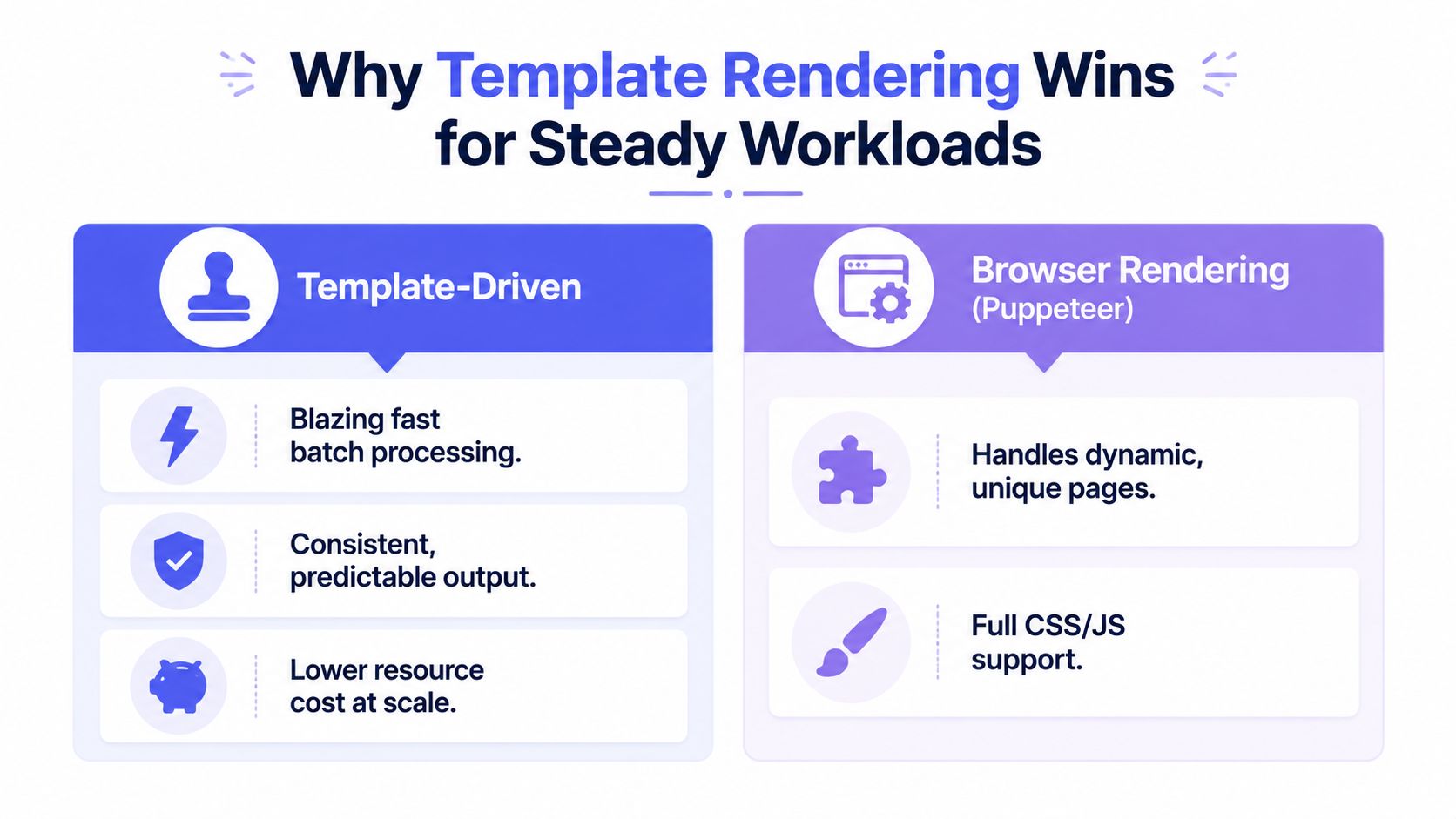
A controlled template is usually the better architecture for a visual asset that changes rarely and renders repeatedly. Certificates, receipts, Open Graph cards, report covers, vouchers, and event badges don’t need a browser to behave like an interactive website. They need the same design to accept different data and produce the same pixels.
The ownership model is the main advantage. A non-engineer can maintain the design in a visual editor, while engineers send JSON variables. That removes pull requests for routine visual changes and avoids turning every color adjustment into a renderer deployment.
Where the model earns its place
Template-driven rendering wins when the workload has these characteristics:
- Stable composition: The same visual structure serves many records.
- Structured variables: The changing content can be represented as text, images, QR codes, barcodes, or other defined fields.
- Pixel sensitivity: Small differences in fonts, spacing, or device-pixel ratio create unacceptable output drift.
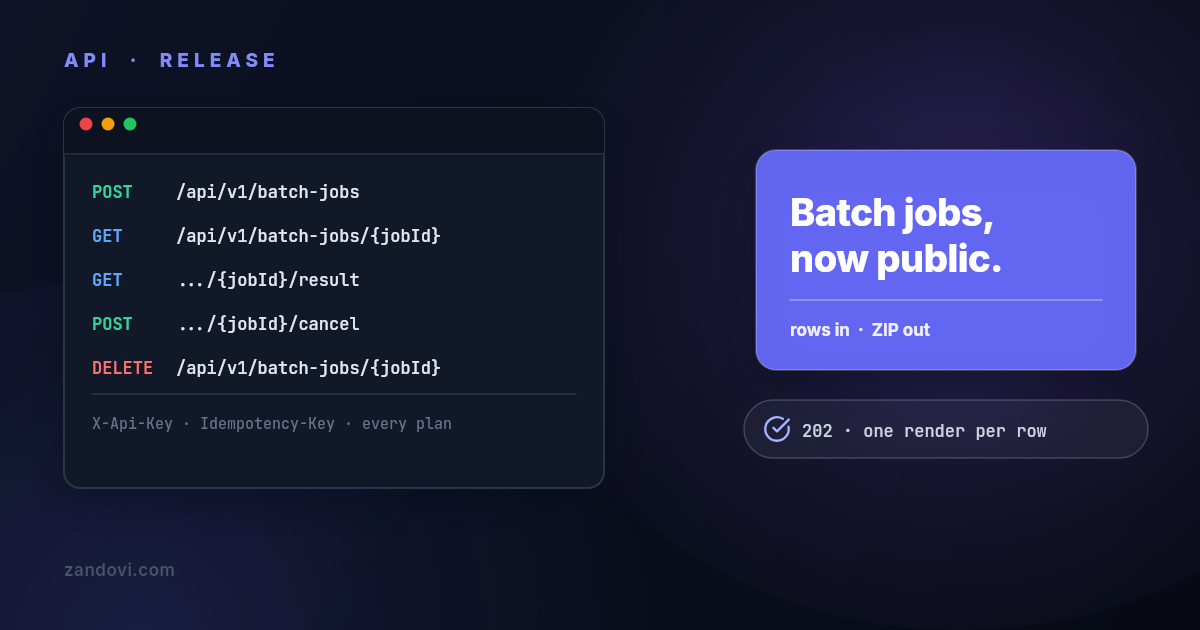
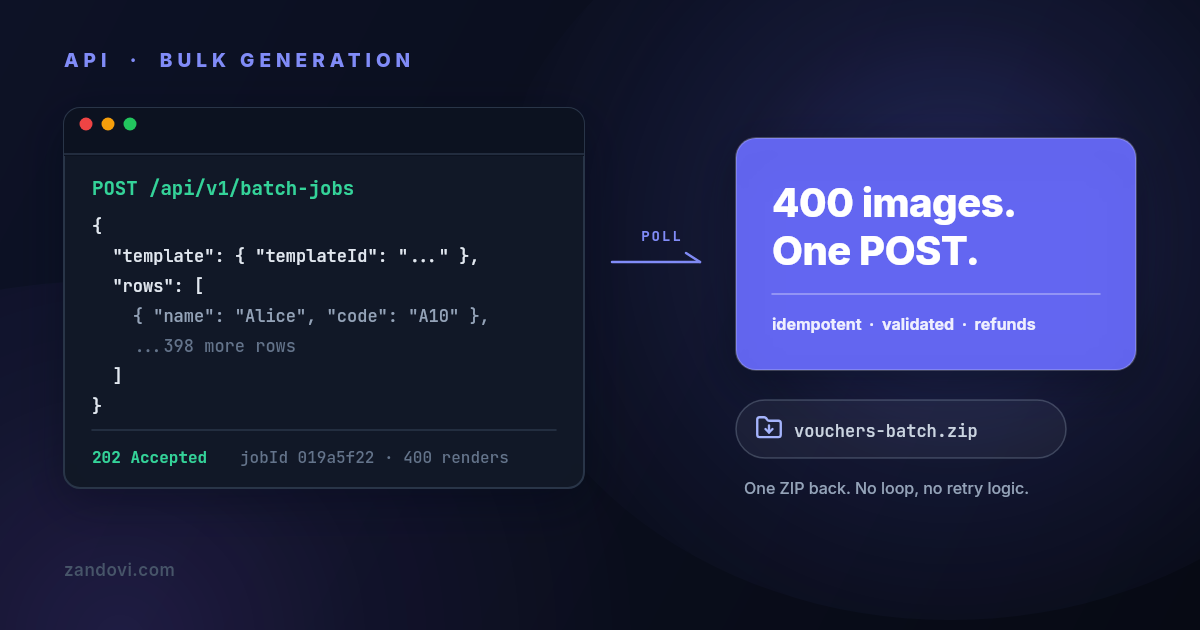
- Batch demand: The team needs certificates, badges, vouchers, or marketing assets from rows of data rather than isolated screenshots.
- Separated ownership: Designers should adjust layouts without requiring engineers to maintain HTML and browser behavior.
A browser fleet also carries costs that don’t appear in the request handler. Teams manage cold starts, pooled processes, font availability, image readiness, crash recovery, and Chromium upgrades. Browser startup and HTML parsing can be substantially slower than a canvas-based approach that skips those steps, as described in the comparison of headless Chrome and canvas drawing.
The recommendation remains workload-shaped. Puppeteer is the right choice for arbitrary HTML, scraped pages, interactive states, and designs that change frequently. A template renderer is the stronger fit for a defined catalog of repeatable visual assets. Zandovi’s template library uses a visual design editor, variable placeholders, server-side Skia rendering, and outputs that include PNG, JPEG, WebP, and print-ready PDF.
The key architectural shift is simple. Engineers stop maintaining a browser-rendered document and start maintaining the data contract. Designers own the template. The renderer owns the pixel output.
Choosing the Right Path for Your Workload
The fastest way to choose is to classify the workload before comparing vendors or rewriting code. The important questions are practical:
- Does the input contain arbitrary HTML and CSS, or a known set of fields?
- Do most jobs reuse a stable design?
- Can a small visual difference pass review?
- Who should approve a color or spacing change?
- Does the team want to operate browsers, or only call an endpoint?
- Are failed rows isolated and retried independently?
Decision matrix
| Workload | Volume | Best fit | Why | Owner |
|---|---|---|---|---|
| Arbitrary user HTML or interactive pages | Variable | Puppeteer and headless Chromium | Browser fidelity and JavaScript support matter more than operational simplicity | Engineering |
| Legacy reports and simple invoices | Stable | wkhtmltoimage during migration | Existing layouts may work, and migration can wait until CSS requirements change | Engineering |
| Social cards, certificates, vouchers, badges, and receipts | Repeating | Template-driven renderer such as Zandovi | Controlled designs benefit from deterministic rendering, structured variables, and batching | Design for visuals, engineering for JSON |
| Specialized static compositions | Defined | Skia-based renderer | Native control suits teams willing to own supported primitives and asset handling | Rendering engineering |
Volume alone shouldn’t decide the architecture. A low-volume but high-risk screenshot can still need Chromium, while a busy certificate workflow can remain manageable with a template API if rows are validated and failures are isolated. The repeat rate, visual drift tolerance, and ownership model usually matter more than raw request count.
A migration sequence that limits risk
- Instrument the existing path. Record cold and pooled latency, memory behavior, failure reasons, asset readiness failures, and output dimensions.
- Group the workload. Separate arbitrary pages from repeatable visual assets. Don’t migrate both under one abstraction.
- Choose the riskiest repeatable template. Pick a design with difficult fonts, images, QR codes, or long text so the pilot tests real constraints.
- Map markup to variables. Convert dynamic HTML into a template with
{{variables}}. Keep the data contract explicit and validate values before rendering. - Compare image outputs. Use representative data, fixed dimensions, and a review process for typography, wrapping, assets, and color.
- Run a controlled pilot. Send a portion of the repeatable workload through the new path while retaining the existing renderer for fallback.
- Move ownership deliberately. Give designers access to the visual template workflow and keep engineers responsible for payload validation, retries, and observability.
For teams evaluating an HTML-to-image alternative to Bannerbear, the same discipline applies. Compare the actual workload, not a demo card. Verify how templates are maintained, what the API reads and renders, how batch jobs behave, which output formats are supported, and how failures are handled.
Puppeteer isn’t a mistake. It’s the correct tool when a browser is the product requirement. It becomes the wrong tool when a stable graphic is being treated like a page, forcing engineers to operate an entire browser environment for a design that could have been a controlled template.
Developers with a slow or inconsistent Puppeteer pipeline should start by
measuring the current renderer, then separate arbitrary HTML from repeatable
assets. For the repeatable group, build one difficult pilot template, map its
markup to {{variables}}, and compare outputs before changing production
traffic. Teams that want to test a live template-rendering workflow can create a
Zandovi account and validate the migration with a small, representative batch.